> For the complete documentation index, see [llms.txt](https://voltbro.gitbook.io/en-vbcores/llms.txt). Markdown versions of documentation pages are available by appending `.md` to page URLs; this page is available as [Markdown](https://voltbro.gitbook.io/en-vbcores/software/arduino-ide/selecting-mcu.md).
# Selecting MCU
At this point, Arduino should be ready to work with a wide variety of STM32 microcontrollers. We need to specify which exact one we're going to use. Today our star is **STM32G474RExx**.
Open Arduino IDE and do the following:
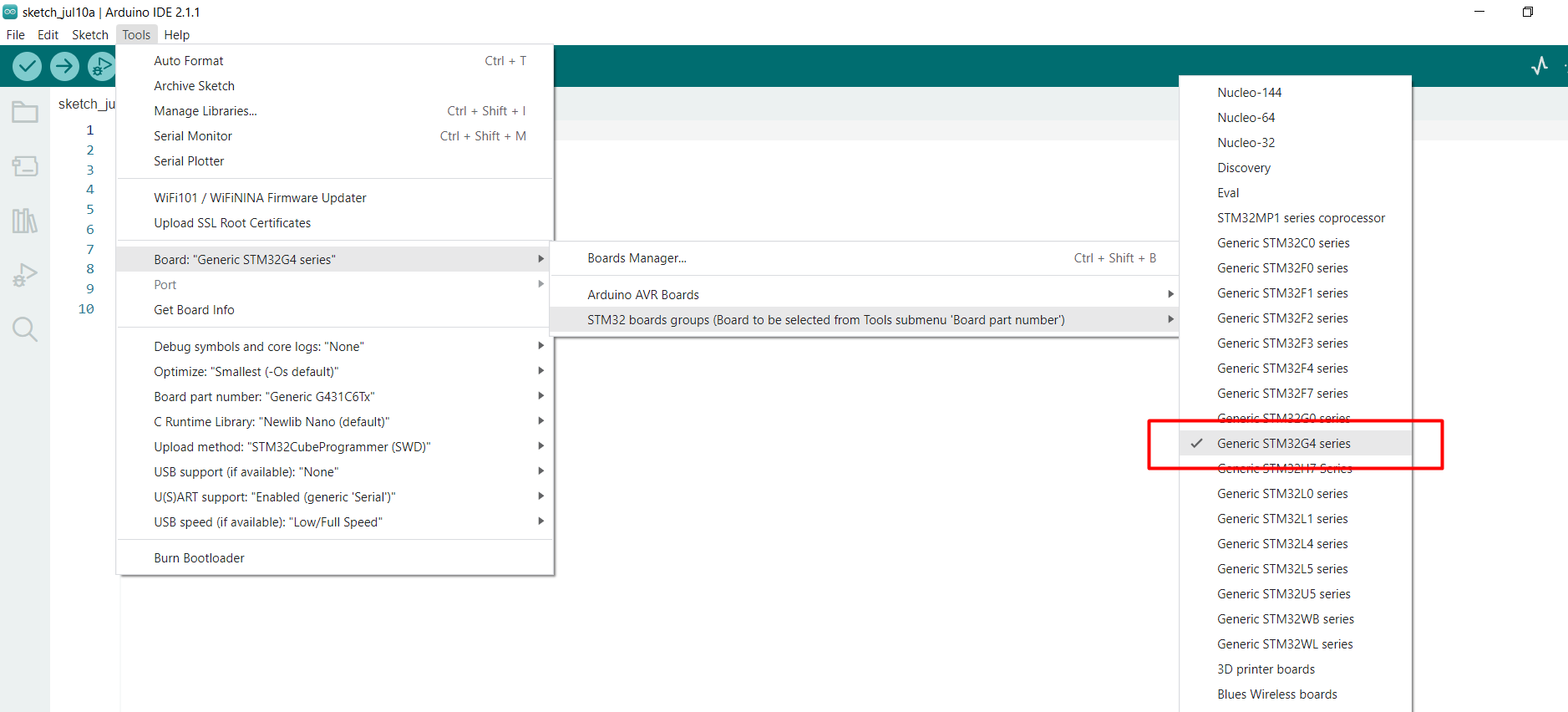
* Select the "**Generic STM32G4 series**" in the "**Board**" field:\
Tools->Board->STM32 boards groups->Generic STM32G4 series
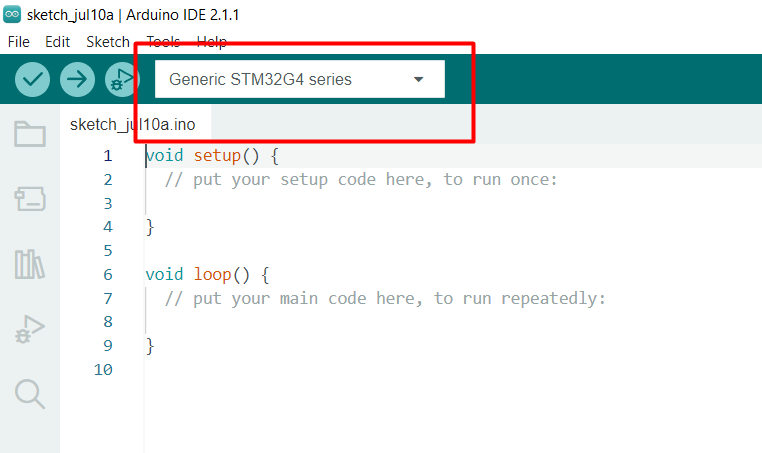
* Make sure it is displayed as a target board:
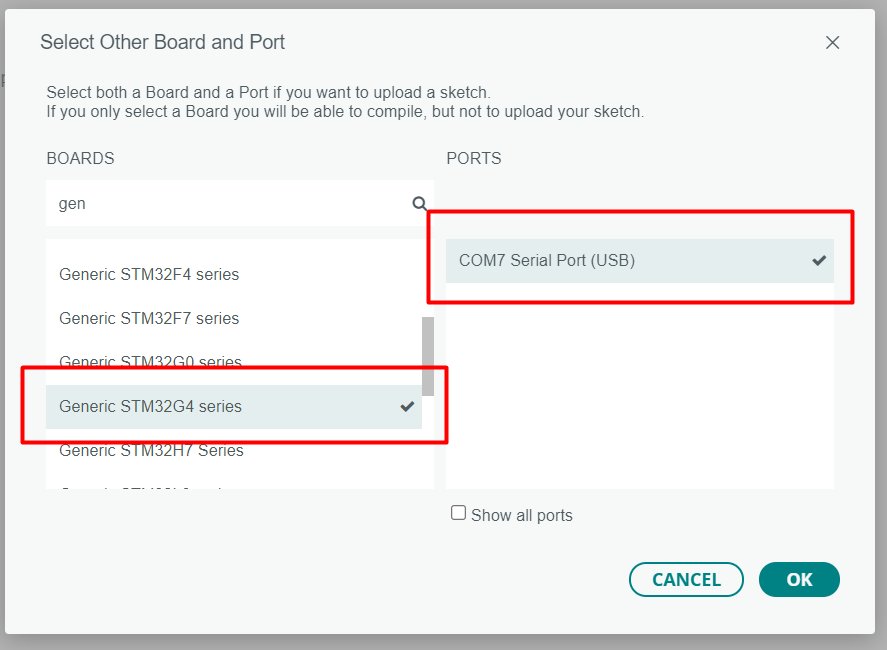
Если в списке плат у вас стоит что-то другое, то кликните на стрелочку внизу и выберите Select Other Board and Port. Укажите необходимые названия и нажмите OK.
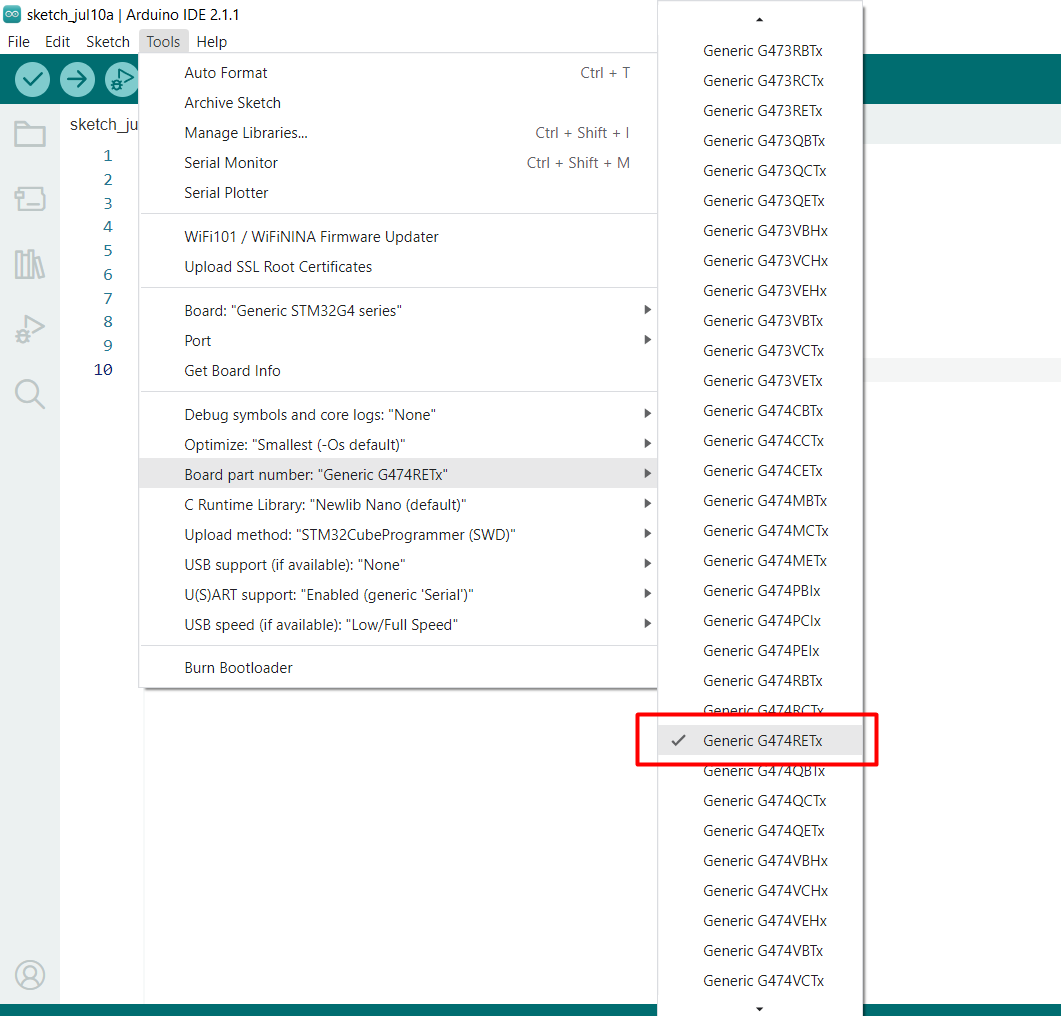
* Select the "**Generic G474RETx**" in the "**Board part number**" field:\
Tools->Board part number->Generic G474RETx
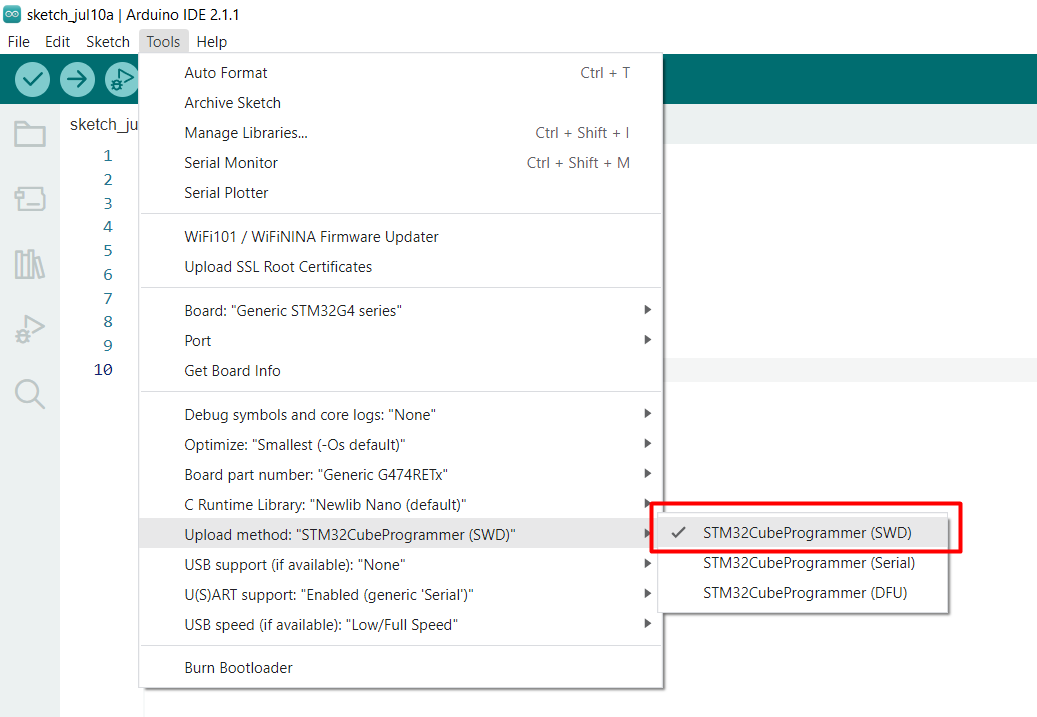
* Select the "**STM32CubeProgrammer (SWD)**" in the "**Upload method**" field:\
Tools->Upload method->STM32CubeProgrammer (SWD)